

Guides
Deploy a Project
This guide explains how to deploy a Takk project from your local machine to a remote environment. The deployment flow mirrors local development closely: the same project definition, compute limits, workers, and services are used, but run on managed infrastructure instead of Docker on your laptop.
If your project runs locally with takk up, it is ready to be deployed.
Before You Deploy
To deploy a project, you must have a Takk account with access to the public beta on takk.dev and be logged in through the CLI using takk login. Your project should include a valid project.py definition and should already run successfully in local mode. Takk does not require any additional cloud configuration, credentials, or infrastructure setup.
Deploying
To deploy your project, run:
takk deploy
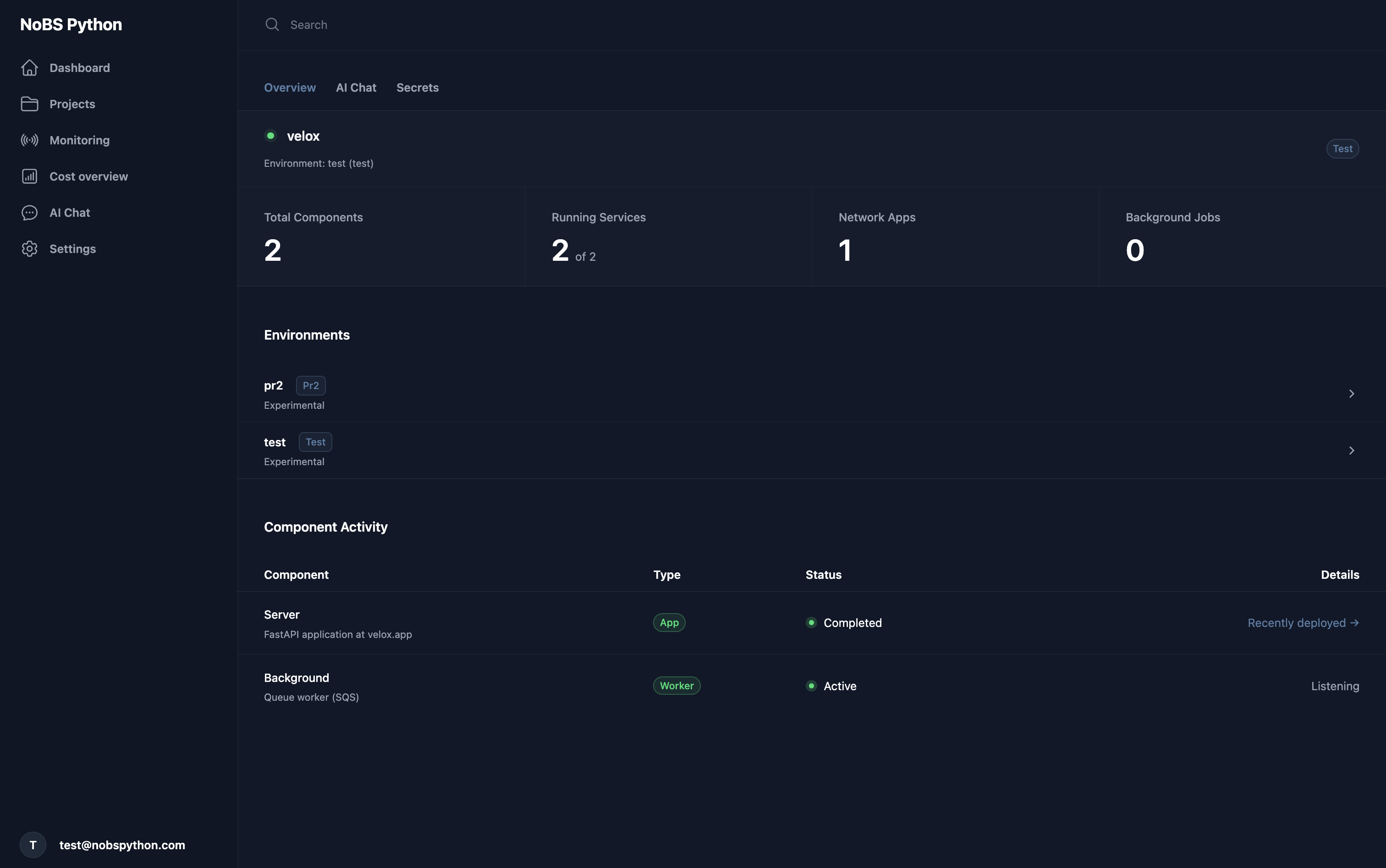
This command builds your project, uploads it, and starts it remotely. By default, the deployment is created in an environment called test. Environments are fully isolated from one another and behave the same way as local development, but run on managed infrastructure.
Environments
Takk supports multiple deployment environments such as test, prod, or temporary preview environments. You can choose the target environment by passing the --env flag:
takk deploy --env prod
Each environment gets its own infrastructure, secrets, workers, queues, databases, and services. This makes it easy to test changes safely before deploying to production or to spin up short-lived environments for experimentation.
Builds and Images
You do not need to write or manage Dockerfiles yourself. When you deploy, Takk automatically builds Docker images for all apps, workers, and services defined in your project. The full codebase is packaged and pushed to a secure container registry that is hosted and managed by Takk and scoped to your organization.
This process is fully automatic and happens every time you deploy.
Infrastructure
All required infrastructure is provisioned automatically during deployment. Databases, caches, messaging systems, storage, workers, pub/sub subscriptions, and networking are created based on your project definition. There is no need to manually create or configure cloud resources.
Once deployed, everything runs with the same compute limits and configuration you defined for the project.
Secrets
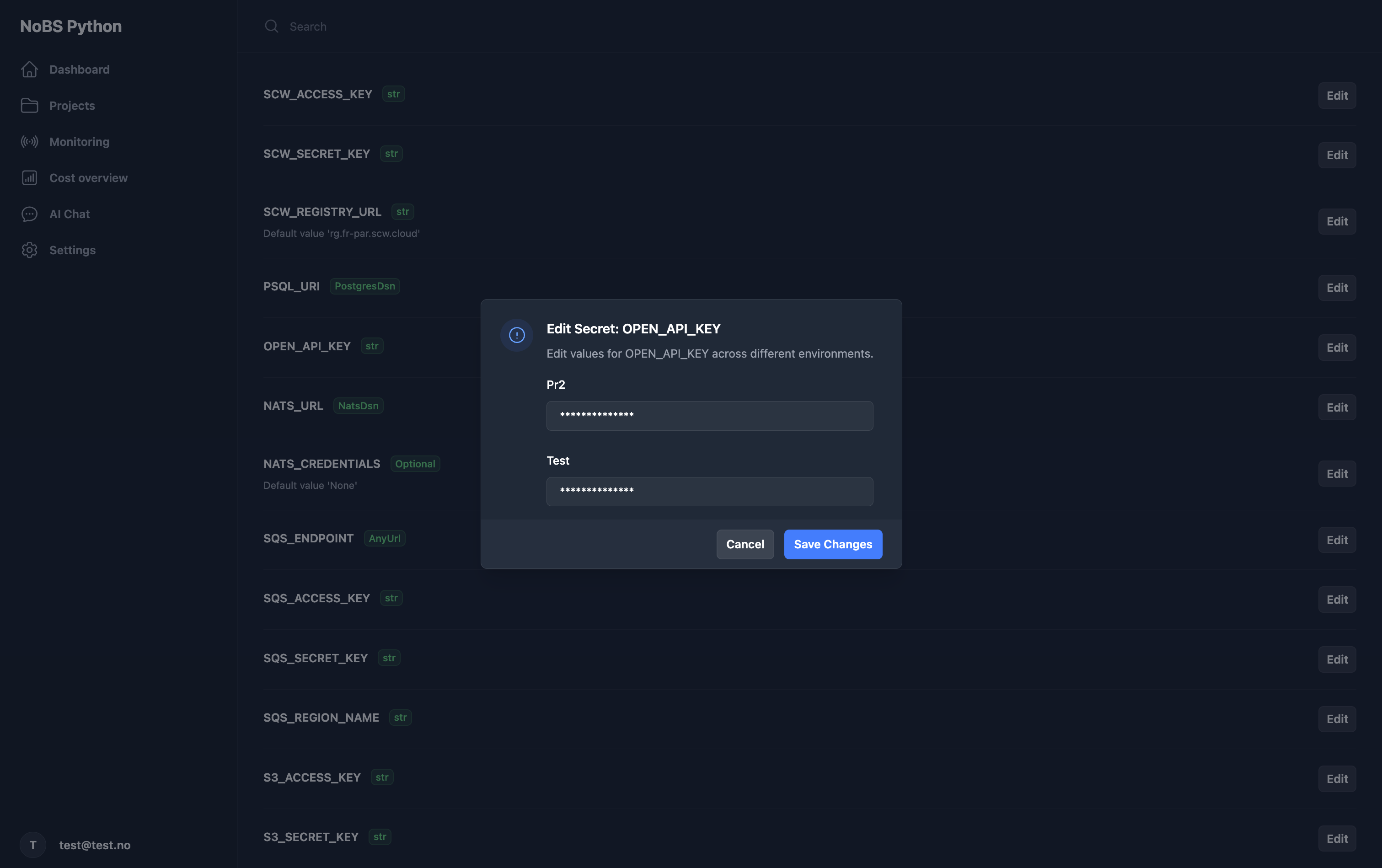
Secrets are managed centrally by Takk and injected automatically into your apps and workers at runtime. Secret names are shared across environments, while the values can differ per environment. For example, a secret named REDIS_URL can have different values for test, prod, or any other environment.
Secrets can be viewed and edited through the Takk UI, and changes are applied without requiring you to modify code.
Observability
After deployment, you can monitor your project through the Takk UI. The UI shows the status of all running services, including apps, workers, queues, pub/sub subscriptions, and infrastructure resources. Logs, metrics, and traces are collected automatically and made available without any additional configuration.
This gives you full visibility into how your system behaves in each environment.
AI Assistant
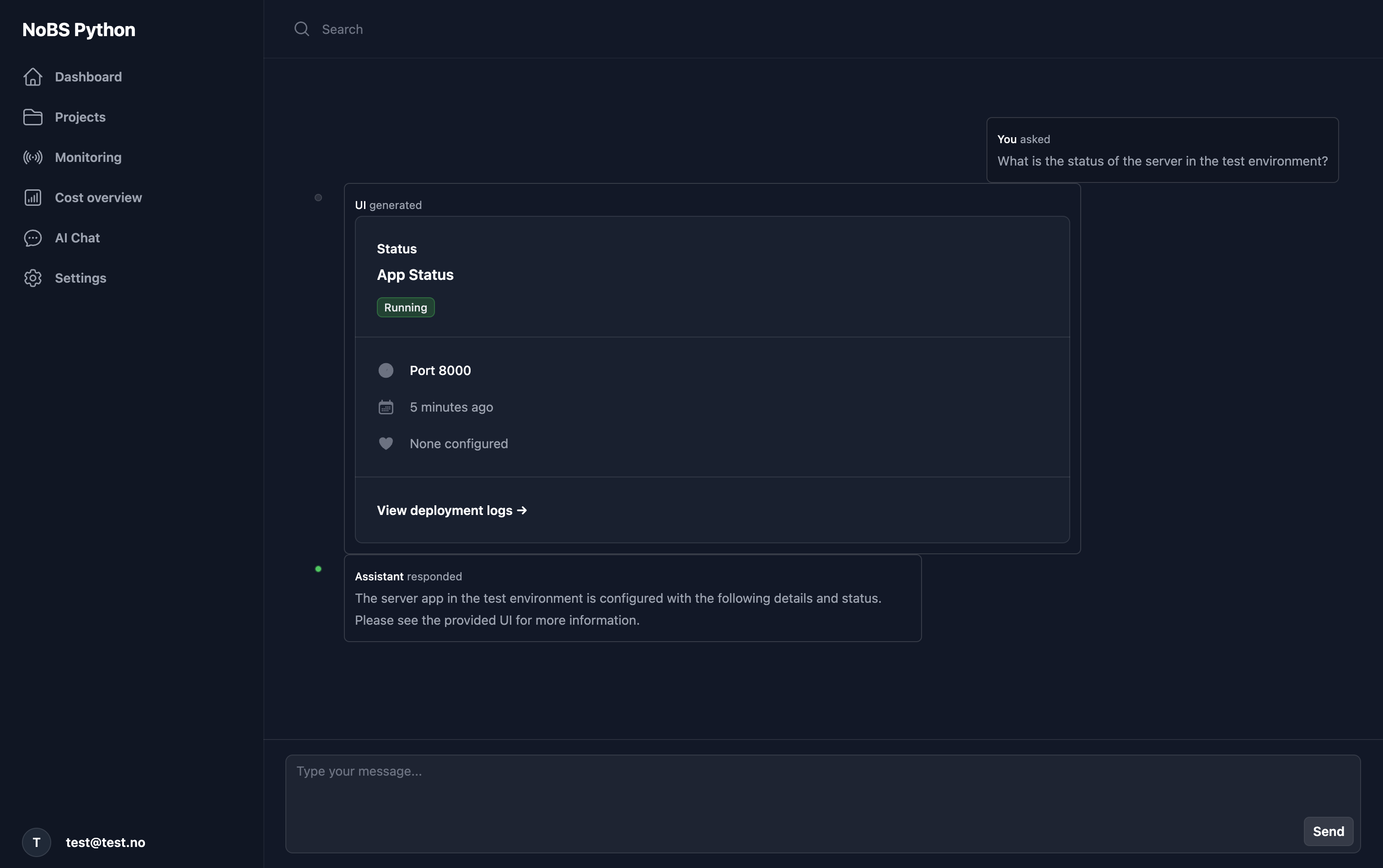
Takk includes an AI chat bot in the UI that helps you manage and understand your deployments. You can ask it questions about the current state of your services, inspect workers and queues, explore logs and metrics, and quickly navigate complex projects with many moving parts.
The assistant is designed to reduce operational overhead by giving you a conversational interface to your infrastructure, making it easier to diagnose issues and reason about your system without switching contexts.
Updating a Deployment
To deploy new changes, simply run takk deploy again. Takk rebuilds images, applies updates, and restarts only the components that need to change. Unaffected services continue running.
Summary
Takk provides a single, consistent workflow from local development to production deployment. With one command, your code is built, uploaded, deployed, and connected to fully managed infrastructure. Environments, secrets, workers, observability, and scaling are all handled for you, allowing you to focus on writing and shipping your application.